
Pings you when things go down.
pingaling watches your headscale server or Tailscale tailnet from a watcher in your own Cloudflare account and, with Alerts, a one-time purchase, pings your iPhone when something goes down.

Coming soon for iPhone and iPad.
Free to download. Alerts is one purchase, no subscription.
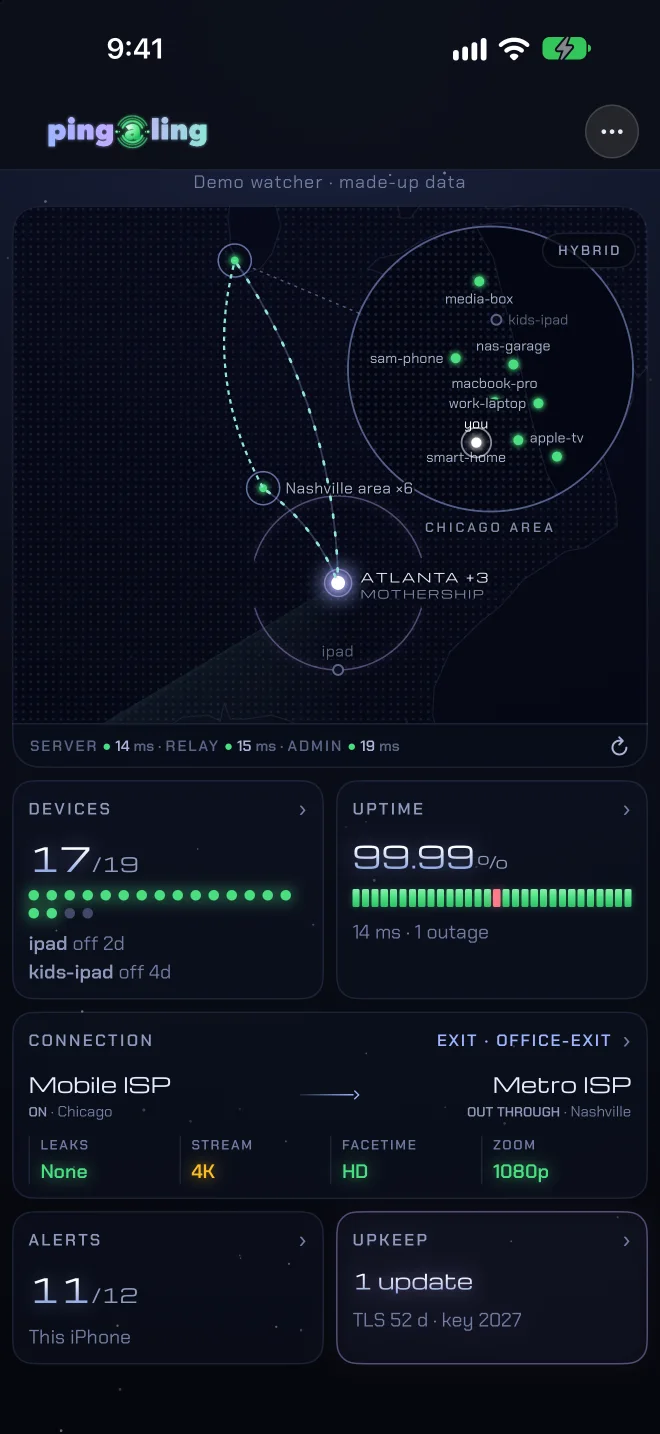
Your whole network on one night sky.
This is the cockpit's map, with a made-up network. Tap a device to see what pingaling knows about it. Then knock the server over and watch what happens.
Demo watcher · made-up dataYour headscale server. The watcher checks it, its relay and its admin page every 5 minutes.
- NETWORK
- Fiber ISP · Larkspire
- WEATHER
- 71° clear · H 76° L 58°
- UPTIME
- 99.99% over 30 days
Tap any dot on the map.
- Online
- Exit node
- This iPhone
- Offline
- Link to your server
- Your route out
Made-up network. Weather in the app comes from Apple Weather.
From the map to the Lock Screen.
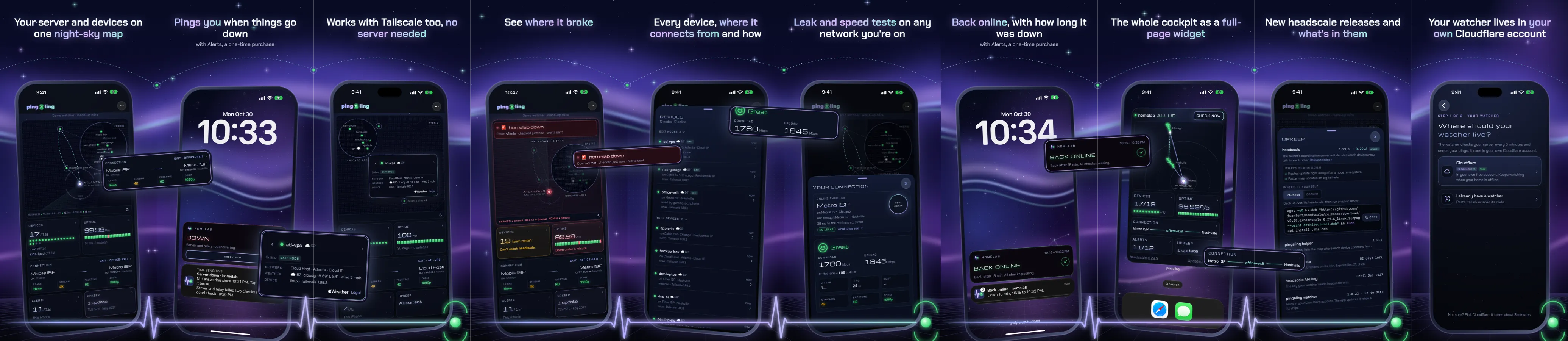

Scroll sideways to see them all →
Everything about your network, at a glance.
The map
Your devices on a night-sky map around your server, with the latency to each. Tap one for its network, where it connects from and the weather there.
Uptime
Your server, relay and admin page: 30 days of checks, outages and response times.
Devices
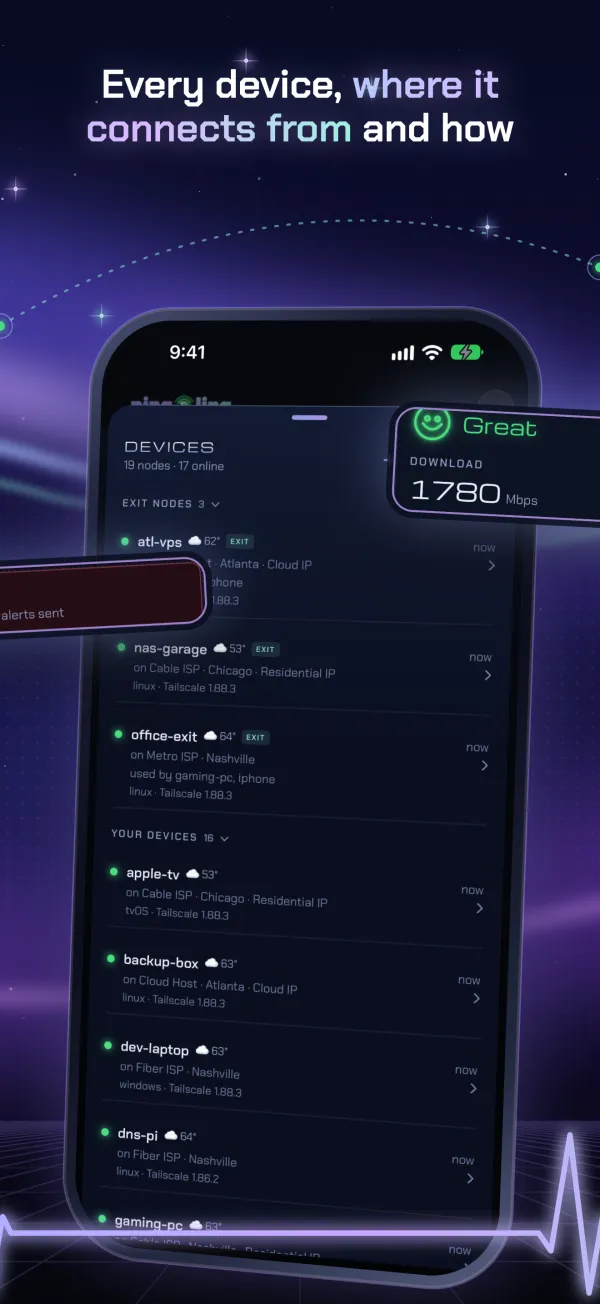
Exit nodes first, tags, last seen, when each joined, shared subnets, and residential, cloud or cellular IP.
Connection
Your route out, the exit node, where sites see you and what the line will carry, with a speed test against your own watcher and a DNS leak test (ipleak.net, run by AirVPN) once you OK it.
Upkeep
New headscale releases and what's in them, certificate and key dates, and devices with an update waiting.
Weather
Weather near each device and your server, from Apple Weather.
On your headscale server, when you tap
- Approve an exit node that's waiting, right from its alert.
- Approve a new device that's waiting to sign in: scan the link it shows.
- Expire a device's key to sign it out.
Nothing changes on your server unless you tap.
Widgets everywhere
Home Screen, Lock Screen and StandBy widgets, and the whole cockpit as a full-page widget where your device offers that size.
Check now, anywhere
In the app, Control Center and the Action button. Ask Siri "Is pingaling up?", or use Spotlight and Shortcuts.
Backed up daily
A daily backup of your settings to your own iCloud Drive, and Restore. Your keys are never in it.
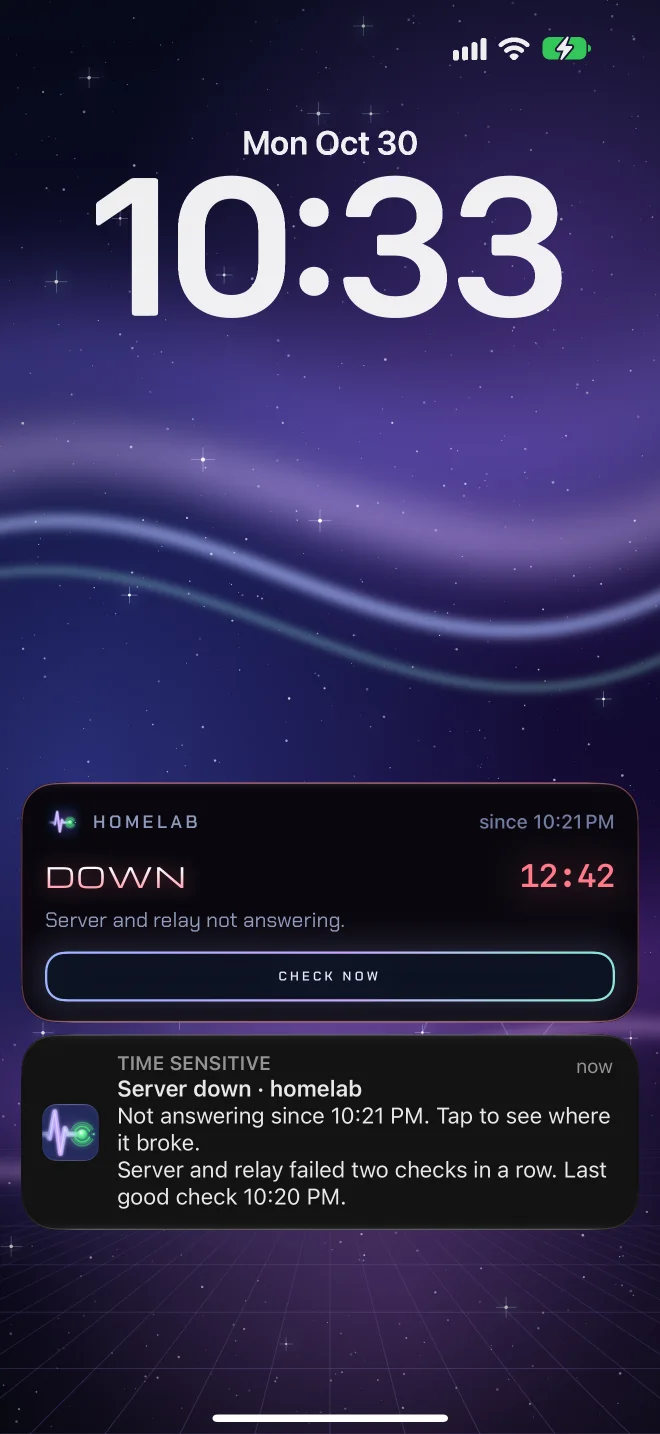
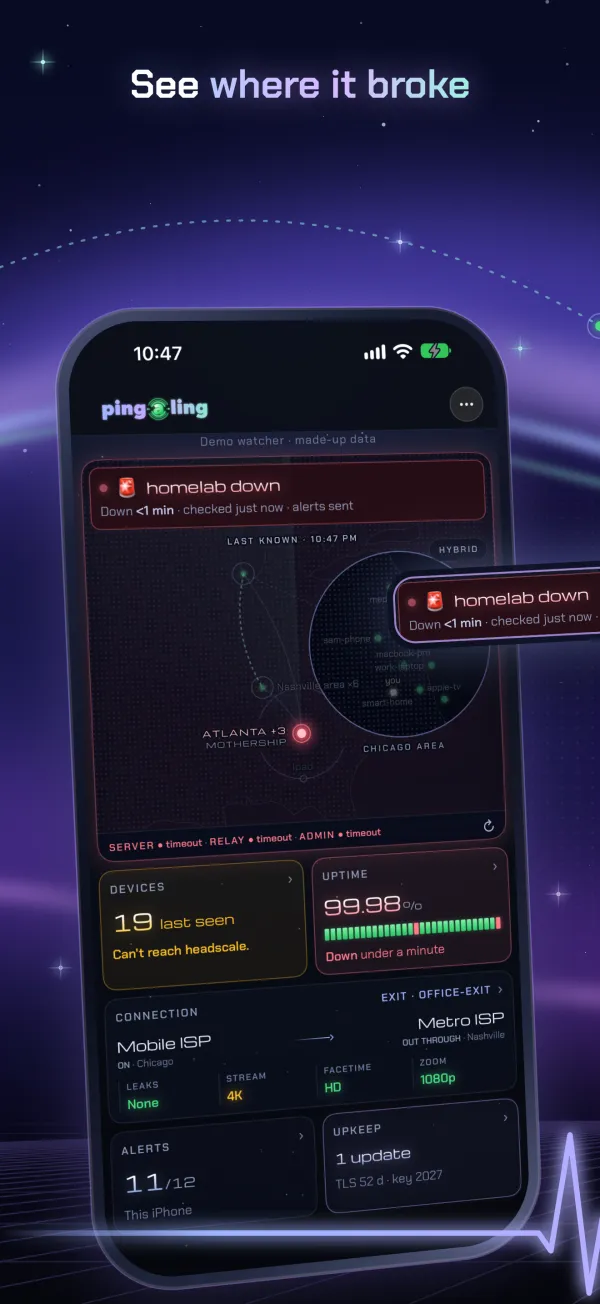
Know the minute it blinks out.
Alerts pays for pingaling's relay, which delivers your watcher's alerts. Server down and Exit node offline are Time Sensitive, so they come through Focus and Sleep.
- The cockpit and map
- Every widget, refreshed on iOS's own schedule
- Check now, Siri, Spotlight and Shortcuts
- One real test ping at the end of setup
- Outage alerts for everything above
- The outage card for headscale servers: a live timer on the Lock Screen and in the Dynamic Island. It turns green with how long it was down.
- Live widget updates as soon as iOS allows
- Your colors: your network's own name and six themes
No subscription. Works on every iPhone and iPad on your Apple Account. Alerts are best effort: iOS, your network, Cloudflare or Apple's push service can delay or drop one, so don't use pingaling for safety-critical monitoring.
No pingaling account. No one else's server watching your network.
pingaling installs the watcher in your own free Cloudflare account, where it checks every 5 minutes and keeps its history.
Your watcher
In your Cloudflare account. Checks your server and devices every 5 minutes.
The relay
Signs each ping and hands it on. It can't read it, and keeps nothing.
Apple's push service
Delivers it, the way every app's notifications arrive.
Your iPhone
Opens the encrypted alert. Only your device can read it.
Keys stay yours
In your Keychain (and iCloud Keychain, if you use it) and in your own watcher, never in backups.
A relay that forgets
Pings pass through a small relay that keeps nothing: no database and no logs.
Asks first
Device locations (from ipwho.is) and the leak test (by ipleak.net) each ask before they run.
Nothing collected
No analytics, no ads, no tracking. Read the privacy policy.
Paste, tap, done.
Cloudflare
Tap Open Cloudflare in the app, sign in or make a free account, tap Continue to summary, then Create Token, then Copy. Come back and tap Paste.
headscale
Paste your server's address. For device alerts, run on your server:
headscale apikeys create --expiration 365dand paste the key. If headscale runs in a container, run the command inside the container.
Tailscale
In Tailscale's admin console, open Settings › OAuth clients, generate a client with Devices: Core read only, and paste the secret (tskey-client-…). It never expires. The map works with nothing to install.
Another iPhone or iPad
On the first one, open ⋯ › Settings › Watcher to show its pairing code. On the new one, tap Already have a watcher? and scan it, or paste the link.
Something off?
When something's wrong
- Can't reach your watcher.
- pingaling checks what it can. If the watcher was deleted from Cloudflare, tap Put it back. It reinstalls with your history.
- Cloudflare key stopped working.
- Your watcher keeps watching. Tap Make a new key and paste it.
- headscale key expired.
- Server alerts still work. Run the command above, then paste the new key.
- Didn't get the first ping.
- Check Settings › Notifications › pingaling on your iPhone and any Focus that's on, then tap Didn't get it? to send another.
- Widgets look behind.
- Without Alerts, iOS refreshes widgets on its own schedule, about every 15 to 60 minutes. With Alerts the relay updates them as soon as iOS allows.
- Devices show Location unknown.
- You chose Not now for device locations. Turn on Device locations in ⋯ › Settings › Network.
Alerts
Alerts is a one-time purchase that pays for pingaling's relay. The relay sends your watcher's outage alerts, starts the outage card for headscale servers and pushes live widget updates. Alerts also adds your network's own name in the cockpit. It covers every iPhone and iPad signed in to your Apple Account. No subscription.
Alerts are best effort: iOS, your network, Cloudflare or Apple's push service can delay or drop one, so don't use pingaling for safety-critical monitoring.
Open pingaling now and then: it keeps your Alerts ticket current.
New device: it turns on by itself; if not, open the unlock sheet and tap Restore Purchases.
Refunds are handled by Apple at reportaproblem.apple.com.
Family Sharing isn't available for Alerts yet.
Removing the watcher
In the app: ⋯ › Settings › Remove watcher deletes the watcher, its storage and its schedule from your Cloudflare account. Your Cloudflare key stays until you delete it under My Profile › API Tokens. The server helper, if you added one, stays on your server until you run sudo pingaling-helper uninstall there (it stops by itself a day after the watcher is gone).
Server helper (headscale, optional)
A small script on your headscale server (Linux, root) that tells your watcher where your devices connect from, so they show on the map. Add it in ⋯ › Settings › Network › Add the server helper: copy the one command and run it on the server. Remove it with sudo pingaling-helper uninstall.
Changelog
1.0 · First release.

Let the night sky
keep watch.